


Building Quality as a Team Effort – How Klavant prepares for ISO 13485 with MedQdoc
 +46(0) 70 58 60 200
 info@medqdoc.com
 Follow us

This article provides an overview of how we manage the MedQdoc process, from receiving a customer order to site setup and final delivery.
When a company orders a site from MedQtech, our goal is always the same – to provide a ready-to-use environment where the customer can get started without delay. Through a structured delivery process and flexible solutions, we ensure that each site is tailored to meet the customer’s specific needs.
Everything begins with a dialogue where we gather the key information needed for the setup. The customer tells us which templates they want to use, how many users should be included in the system, and which roles or profiles those users should have. This information then forms the foundation for how the site is configured.
Every organization works differently, which is why we offer several flexible ways to deliver a site:
In short, the customer decides how much should be prepared from the start.
Once all requirements are clarified, we set up the site in our Backoffice. At the same time, the templates selected by the customer are delivered to the new site.
At the time of delivery, the templates have the status Initial, meaning they are available in the system but not yet active. When the customer decides to start using a template, the status changes to Draft, allowing the document to be edited and adapted to the organization’s needs.
The controlling documents, such as Standar operations procedures (SOP), Work Instructions (WI), and Policies are delivered with clear tagging based on applicable standards and regulatory frameworks.
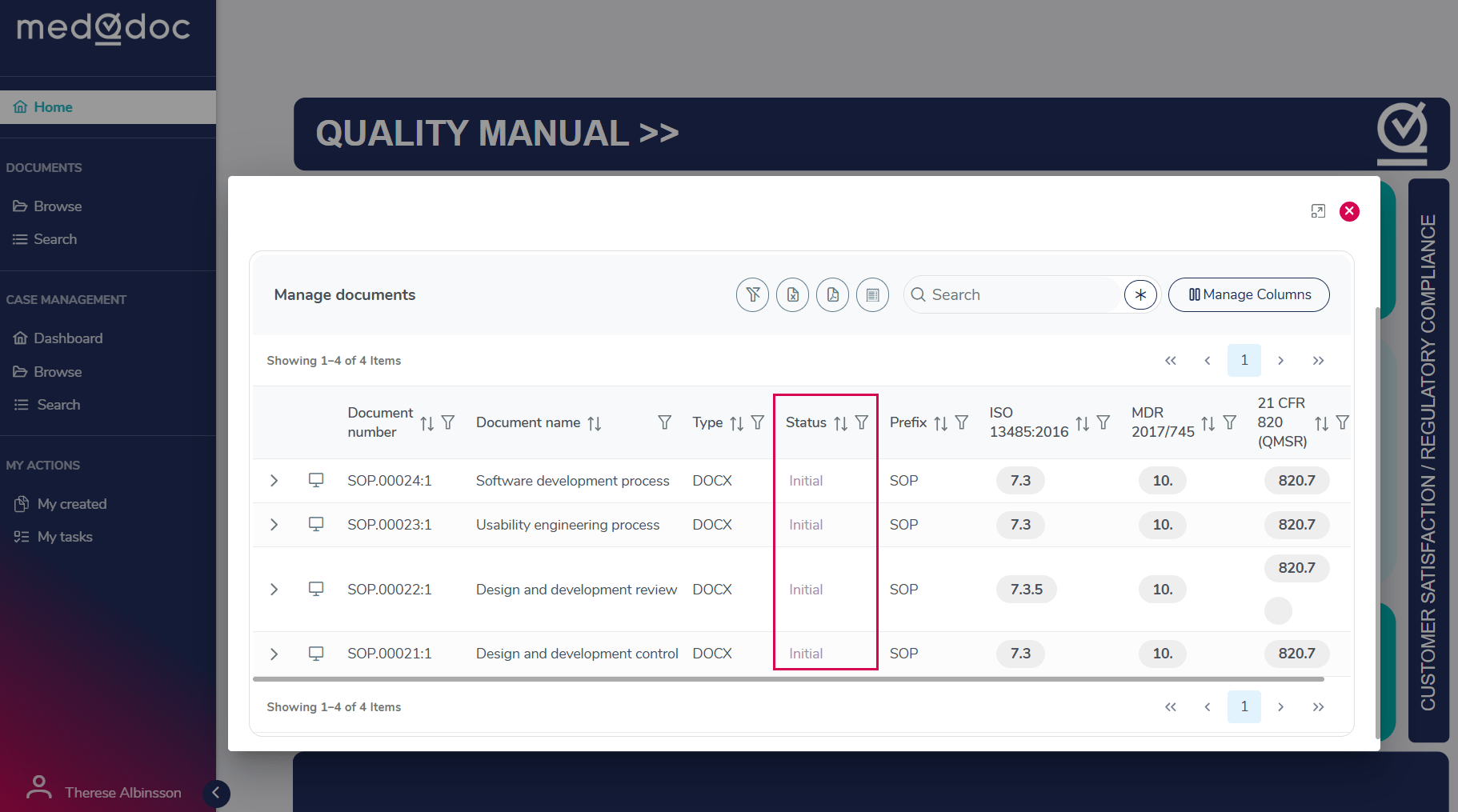
Each document is categorized according to relevant sections or chapters from these standards, as well as by document type (e.g., SOP, WI, Policy). This structured tagging makes it easier to understand, organize, and navigate the document landscape.
When users are created in the system, each new user automatically receives an email with instructions to set their password and activate their account. This ensures that the entire organization can get started quickly and smoothly.
To support different responsibilities and access needs, MedQdoc includes several user types.
Each user type is designed to match a specific level of access and involvement in the system.
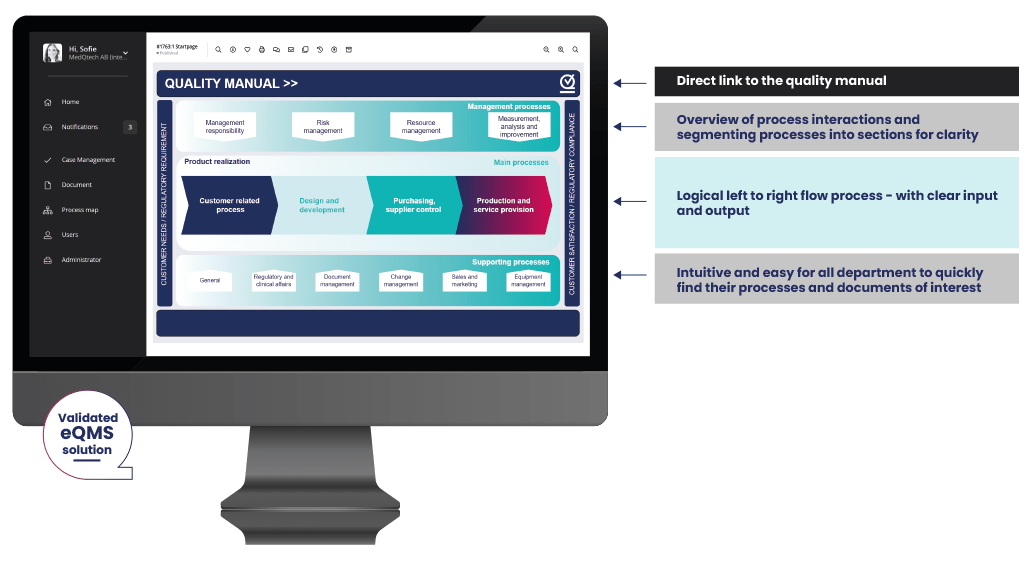
As part of the delivery, we typically create a start page with clear links to the predefined folder structure. The page is flexible and can easily be updated as the customer’s needs evolve using the built-in layout tool.
We also add the customer’s logo, which is automatically displayed in the header of all documents in the system. This ensures a professional and consistent appearance from the very beginning.
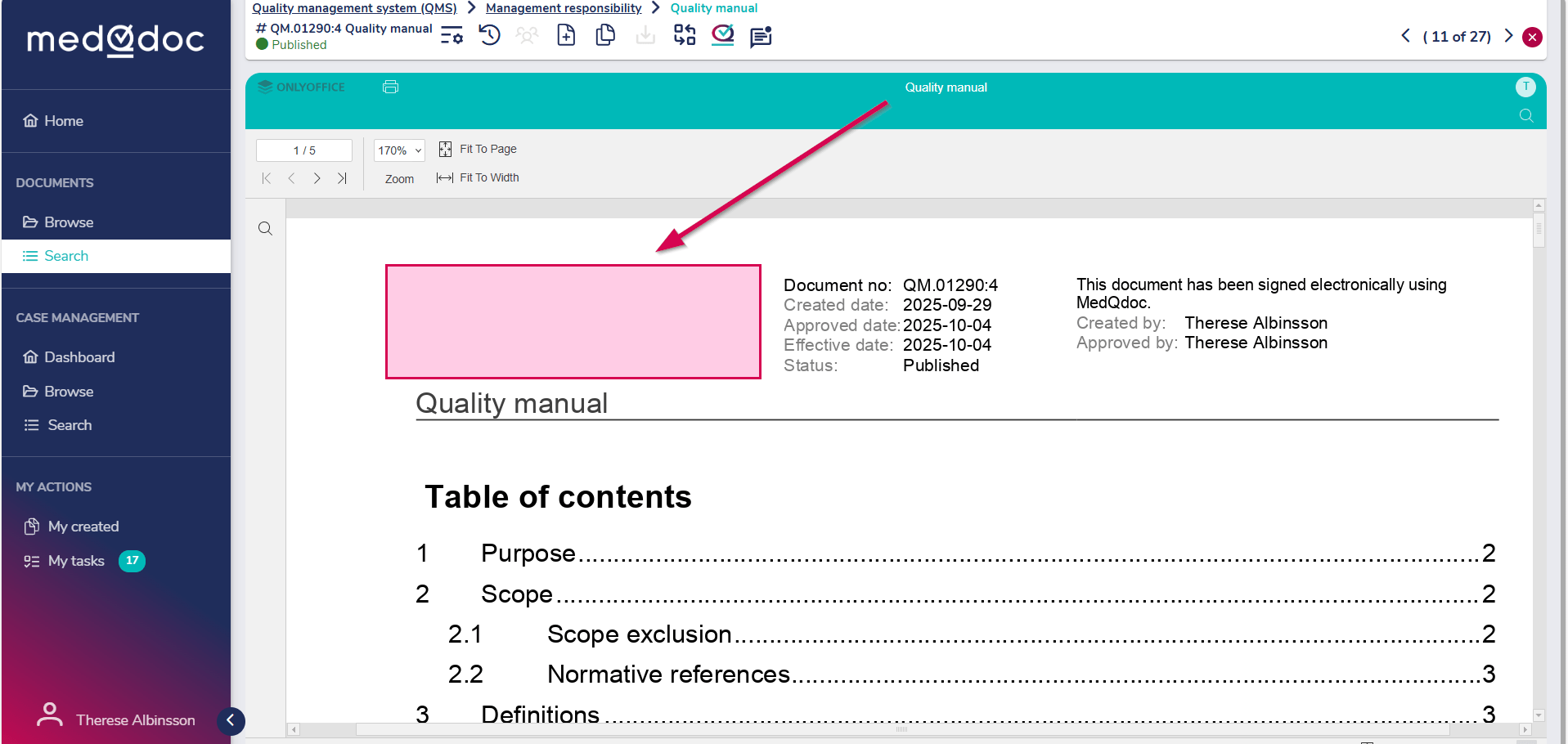
The logo is positioned on the left side of the document header.
We offer a set of case management modules that can be delivered based on the customer’s preferences. The selected modules are activated according to the customer’s needs.
Custom cases – In addition to the standard modules, you may also add your own custom cases based on your specific requirements.
Read more about MedQdoc Case Management here.
To ensure that customers feel confident using the system, we offer a complimentary two-hour introductory training session. During this session, we go through the key features and demonstrate how to work efficiently within the site. After the session, you will be able to continue the implementation of MedQdoc independently.
The training is conducted by MedQtech and provides users with a solid foundation for their continued work in the system.
In addition, we can provide tailored onboarding adapted to your organization’s specific needs, supported by our expert knowledge and experience throughout the implementation process.
Our goal is simple: to provide a smooth and confident start, so our customers can begin working in a structured and efficient way with their documents from day one.
See our MedQdoc introduction videos here.
Example of a MedQdoc Implementation Project

WEEK1-2

WEEK 3

WEEK 4–9

WEEK 10

Your MedQdoc eQMS is now ready for full implementation in your organization.
“The onboarding and transition to MedQdoc was very structured and truly collaborative. Enough time was taken to guide us through the system and adapt it to our needs, which made it much easier for the whole team to get on board.”
Melanie Kattouah, Chief Quality Officer, Klavant
How do I get started with MedQdoc?
We offer a 2-hour introductory training session to help you get started with MedQdoc. During this session, we also introduce our predefined onboarding templates, which include a practical checklist of topics and activities to consider when starting your implementation.
Read more about your first 30 days with MedQdoc here.
How long does it take to get started?
The timeline depends on your organization’s needs, scope, and level of preparation. You can start using MedQdoc from day one. We have helped customers get a full QMS in place in less than a week, while more extensive implementations may take up to 3 months.
Do I need to have all my documentation ready before we start?
No, you do not need to have everything prepared before getting started. Many customers begin with existing material and continue to build, revise, and structure their QMS step by step during the implementation.
Can MedQdoc be adapted to our organization’s processes?
Yes, MedQdoc can be adapted to your organization’s needs. We offer predefined structures and templates, but the system can also be configured based on your processes, document types, and regulatory requirements.
What kind of support do you provide during implementation?
We support customers throughout the implementation process with training, onboarding templates, and guidance on how to structure documentation and workflows in MedQdoc. We also offer everything from weekly onboarding support to full project management led by one of our senior Quality and Regulatory Advisors.
Can we start small and expand later?
Yes, many customers choose to start with a limited scope and expand over time. This makes it possible to get started quickly and then add more documents, processes, and modules as needed.
Who should participate in the onboarding?
We recommend involving the people responsible for quality management, document control, and implementation planning. Depending on your organization, this may include both administrators and key users.